


How Biometric Technology Is Streamlining Airport and Border Security
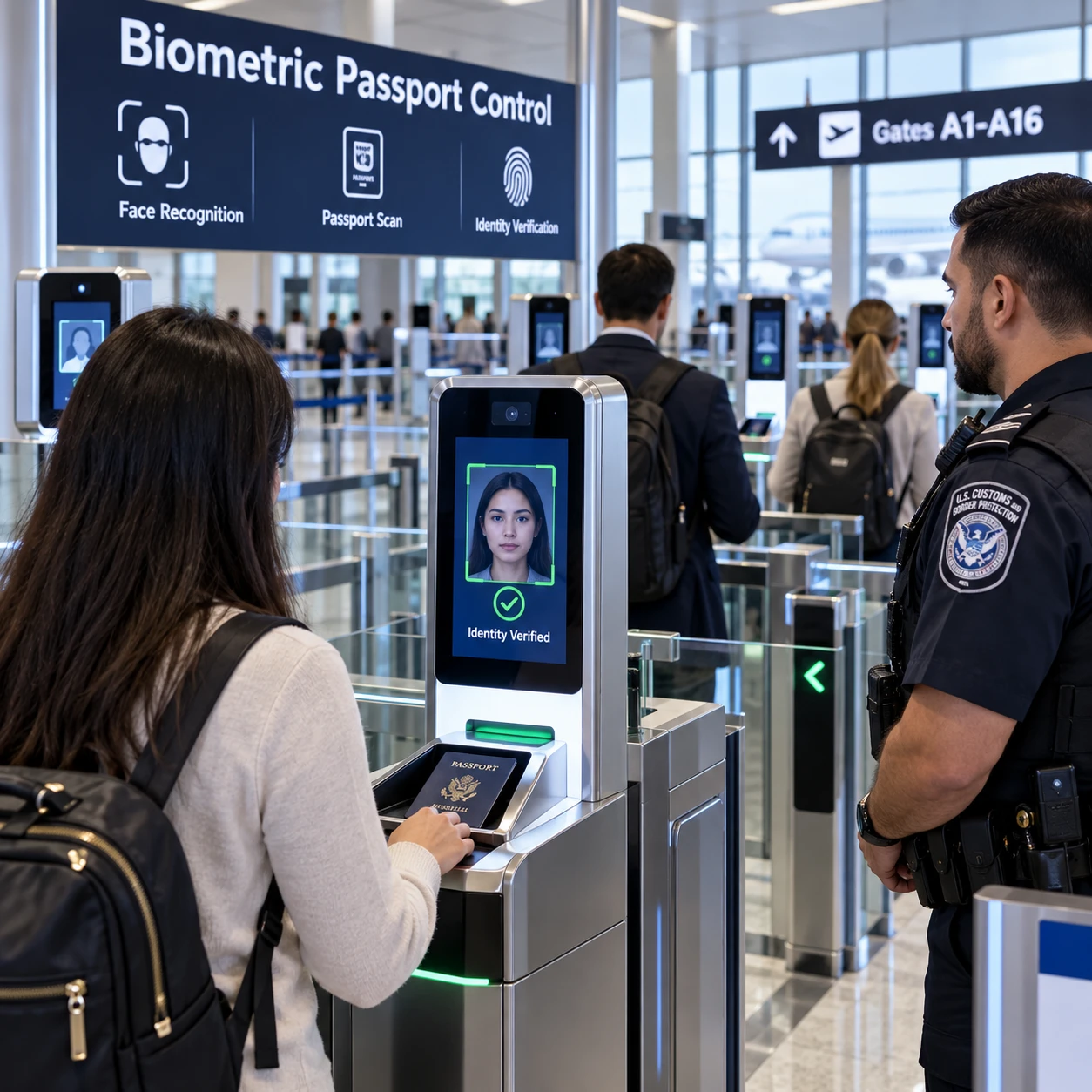
Biometric technology is changing how airports and border agencies confirm who is traveling. Instead of relying only on a person to compare a face with a passport photo, some checkpoints use facial recognition, fingerprints, or iris scanning to support identity checks across the journey.
These systems can reduce repeated document checks and help manage passenger flow, but they are not universal or error-free. Passports, staff oversight, privacy rules, and alternatives for travelers who cannot or do not wish to use a biometric process remain part of the picture.
What biometric technology means in travel
In travel, biometric technology uses a person’s physical characteristics to help verify identity. It compares a live sample, such as a face or fingerprint, with a reference linked to a travel document or an authorized record.
A document-only check asks whether a passport or other credential appears valid and belongs to the traveler presenting it. Biometric identity verification adds a comparison between the person and the identity record. The two checks complement each other: a face match alone does not establish every detail of a traveler’s eligibility or prove that a document is valid.
Common biometric methods include:
- Facial recognition: A camera captures a face and compares it with a passport image or another permitted reference.
- Fingerprint recognition: A scanner reads fingerprint patterns, often for identity confirmation or immigration processes.
- Iris scanning: A system captures patterns in the iris, the colored ring around the pupil. It is used in some identity programs, though travelers will not encounter it at every airport.
An e-passport contains an electronic chip with identity information, usually including a facial image. At an inspection point, a reader can check the chip and an officer or automated system can compare the document data with the traveler. The exact process depends on the country, airport, and program.
Where biometrics appear in the passenger journey
Biometrics may appear at selected steps from check-in and boarding through airport security and border control. Their use varies by airline, airport, and government, so a traveler may encounter one biometric checkpoint or none at all.
Some programs let passengers enroll or confirm their identity before reaching the airport. At check-in or bag drop, a camera may compare a live face with a document image or a travel credential. At boarding, a biometric check can help confirm that the person presenting at the gate matches the passenger associated with the booking. Traditional boarding passes and document checks may still be required, depending on local procedures.
At airport security checkpoints, biometrics may support identity or credential checks, but they do not replace screening for prohibited items. Security screening and identity verification answer different questions: one focuses on the traveler’s identity, while the other applies safety procedures to people and belongings.
At the border, automated border control gates may read an e-passport and compare its stored image with a live facial image. Eligible travelers can use these gates in participating locations; others may need to see an officer. Fingerprint checks may also be used in some immigration or entry processes.
For travelers, the practical sequence is usually simple: follow signs, scan a document if asked, look toward the camera or use a fingerprint reader, and wait for the result. If the match fails, staff can direct the traveler to a manual check.
How biometric checks can improve processing
Biometric checks can support smoother passenger processing by allowing identity to be confirmed at specific points without repeating the same manual comparison each time. They may help reduce bottlenecks when the system is available, the traveler is eligible, and the match succeeds.
In a conventional workflow, staff may inspect a document and compare its photo with the traveler at several handoffs. A coordinated biometric process can reuse an authorized identity check at points such as bag drop or boarding. That can make the sequence feel more continuous, especially in busy terminals, while staff remain available for exceptions.
The useful measure is not simply how fast a camera takes a picture. A checkpoint also needs time to read a passport chip, resolve a mismatch, support travelers who need assistance, and maintain a manual option. A biometric lane that processes straightforward cases quickly can still slow down if many images fail or equipment goes offline.
Airports and agencies may also use automated checks to direct routine cases through self-service gates while staff focus on questions that need human judgment. That is an operational benefit, not a guarantee of faster travel for every passenger. Enrollment steps, connectivity, eligibility rules, and the layout of the checkpoint all affect the experience.
Security benefits and practical limitations
Biometric identity checks can make it harder to use another person’s document, but their reliability depends on image quality, system design, and the way staff handle exceptions. A biometric match supports a security decision; it does not replace document validation or human judgment.
Facial recognition can compare a live image with a passport photo, while fingerprint recognition or iris scanning can provide other forms of identity evidence. Matching systems must account for factors such as lighting, camera position, changes in appearance, and differences between the original image and the live capture. A poor capture can lead to a false rejection; no automated system should be treated as infallible.
There are also operational limits. Cameras, passport readers, network connections, and databases must work together. If a device fails or a traveler cannot use the automated lane, the airport needs staff and a fallback process. Travelers with accessibility needs, young children, or documents that are not supported by a particular gate may require a different route.
Good security design combines technology with clear procedures:
- Check the travel document and its validity, not just the biometric match.
- Provide trained staff who can review a mismatch and assist without treating it as proof of wrongdoing.
- Keep a workable manual process for system outages, ineligible travelers, and people who need another option.
- Test systems across realistic conditions and monitor for errors, including unequal performance across different groups.
The trade-off is straightforward: automation can support consistent, repeatable checks, but it adds technical dependencies and requires careful exception handling.
Privacy, consent, and responsible data handling
Responsible biometric screening depends on limiting what is collected, explaining how it is used, and protecting it from unauthorized access. Travelers should be able to find out whether a process is optional, what happens to their data, and what alternative is available.
Biometric data is sensitive because it is tied to a person’s body and cannot be changed like a password. Privacy questions include whether a live image is compared only at the checkpoint, whether a template or image is stored, how long it is retained, which agencies or service providers can access it, and whether it can be used for purposes beyond the original check.
Policies differ by country and program. Before using a biometric service, look for the airport or government’s notice on collection, retention, sharing, and deletion. If the process is voluntary, ask staff how to use the non-biometric route. Consent may be handled differently in mandatory border procedures, so do not assume the rules are identical across jurisdictions.
Data minimization is a practical safeguard: collect only the information needed for the stated task, restrict access, secure systems, and delete data when the applicable rules permit or require it. Clear notices and an accessible human alternative help travelers make informed decisions, even when a particular checkpoint operates under legal requirements.
What travelers should expect next
Travelers can expect biometric checks to expand selectively as airports and border agencies update their systems, but they should not assume every journey will be fully biometric. For now, the best preparation is to carry required documents and follow the instructions for the specific airport and destination.
Some journeys may offer facial recognition at boarding or an automated border gate; another airport may rely on manual passport checks. A traveler could also encounter a biometric step at one point and a conventional document check at the next. Adoption depends on local law, infrastructure, airline participation, and the availability of an approved identity record.
Before departure, check your airline’s and destination government’s guidance, make sure your passport is valid, and allow time for staff assistance if a scanner cannot read your document or face. If you prefer not to use an optional biometric service, ask about the alternative before joining a dedicated lane.
The likely direction is more connected identity checks and more self-service options, alongside continued document controls and staff review. Convenience will improve most when the process is transparent, reliable, and easy to exit when it does not work for a traveler.
Frequently asked questions
What biometric data might an airport use?
An airport or border agency may use a facial image, fingerprints, or, in some programs, an iris scan. The specific biometric depends on the checkpoint and local rules; facial recognition linked to an e-passport is a common example.
Do travelers still need passports or other documents?
Usually, yes. Biometrics generally support identity verification rather than replace the passport, visa, boarding pass, or other documents required for a journey. Check the airline and destination requirements before traveling.
Is biometric screening mandatory?
It depends on the country, checkpoint, and program. Some airport services are optional and have a manual alternative, while certain border procedures may be governed by different legal requirements. Ask staff or consult official guidance if you are unsure.
How is biometric data protected?
Protections vary by program. Responsible systems should explain what data they collect, how long it is kept, who can access it, and whether it is shared. Read the relevant airport or government privacy notice, and ask about alternatives when biometric use is optional.